✳ THE INTERACTIVE WORLD ATLAS
History. On the board.
Watch borders shift. Explore a conflict up close. Follow the story.
THE TIME MACHINE
All history
Shows dossiers whose date spans overlap this window. Bars count overlapping archive records, not the frequency or intensity of war.
Connecting to the news desk…
Markers show reporting areas from the news desk watchlist. Headline counts cover the last 30 days; a zero is a coverage gap. News coverage does not certify that a war is active.
Open the full news desk ↗A PROJECT WE SUPPORT
The world is connected.
The news should be, too.
Global News Map ↗
A news-driven globe, built by an independent open-source project. We’re giving it space here because this is work worth exploring.
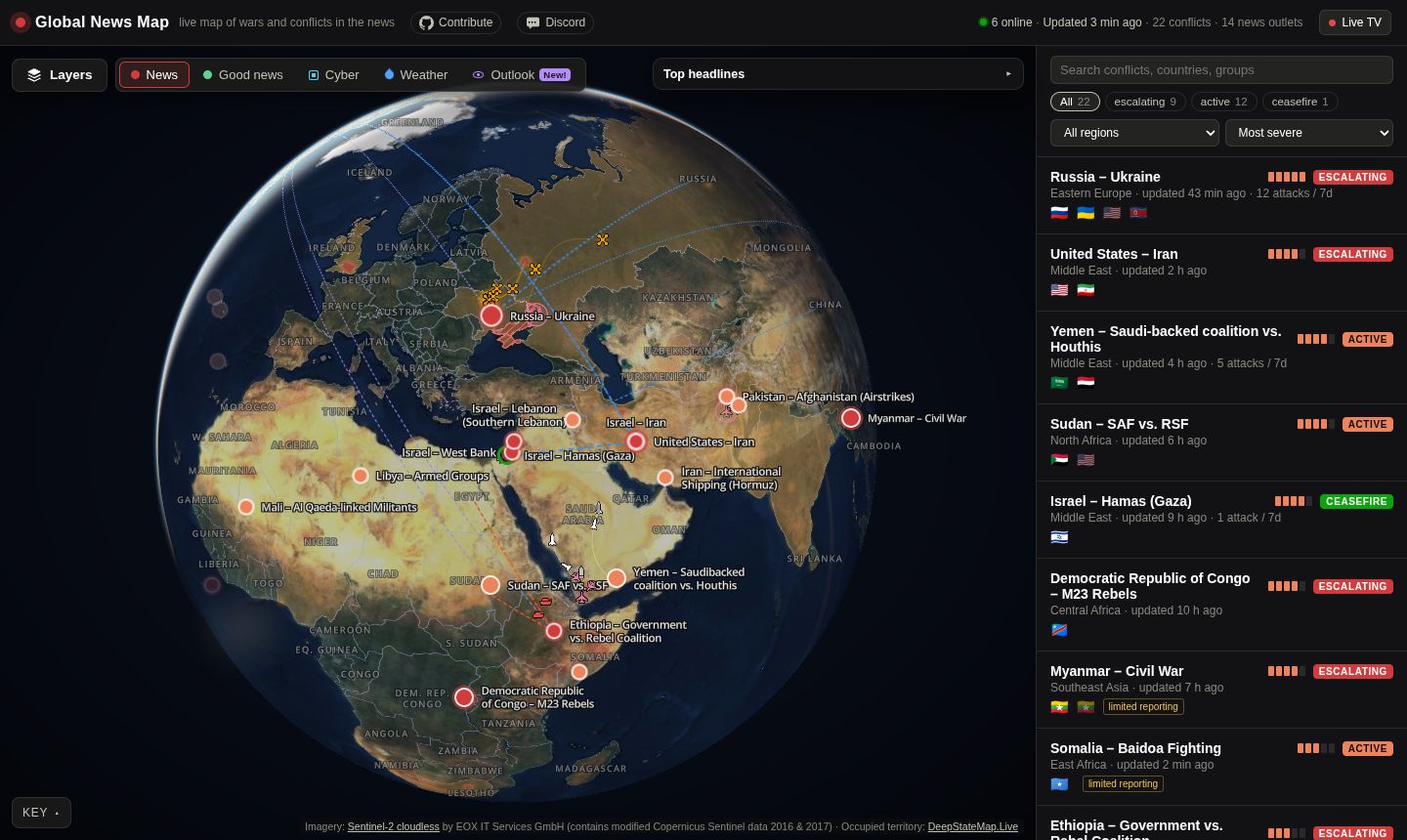 Take a closer look ↗
Screenshots: Global News Map · Static previews, retrieved 28 September 2026.
Read the map with context.
One conflict can span many places and phases. These markers are representative theater anchors, not battle sites, front lines or territorial claims. The archive uses modern reference geography. Changing borders shows dated historical reconstructions; close-ups show sourced administrative regions. Each view labels its reference date. Territory colors distinguish geographic regions, not alliances or control. Dotted links in a selected dossier connect its representative locations; they do not show troop movements.
Dates, geography & sources
Historical dates and ongoing labels come from the supplied September 2026 archive. Approximate, legendary and intermittent spans retain a note in their details. Current news is a separate RSS view with publisher timestamps and coverage gaps.
Map geography, country label points and representative locality points: Natural Earth, public-domain data. Conflict entries link to their original dossiers and source lists. Editorial review remains open.
Controls: select a territory or counter, drag to pan, double-click, pinch or Ctrl-scroll to zoom, or use + / −. Region tabs focus the map. Place-label and border controls change its appearance; Expand opens the board in a larger workspace. Escape closes the expanded view. Focus the map and use arrow keys to pan, + / − to zoom, and Home to reset. Every marker is keyboard accessible; the conflict list offers the same records.